Books that balance,
reports that explain
Double-entry journals, a full chart of accounts, and live financial statements, reported under IPSAS on an accrual basis. School billing posts straight into the ledger, and every branch gets its own numbers without a separate system.
Analytics
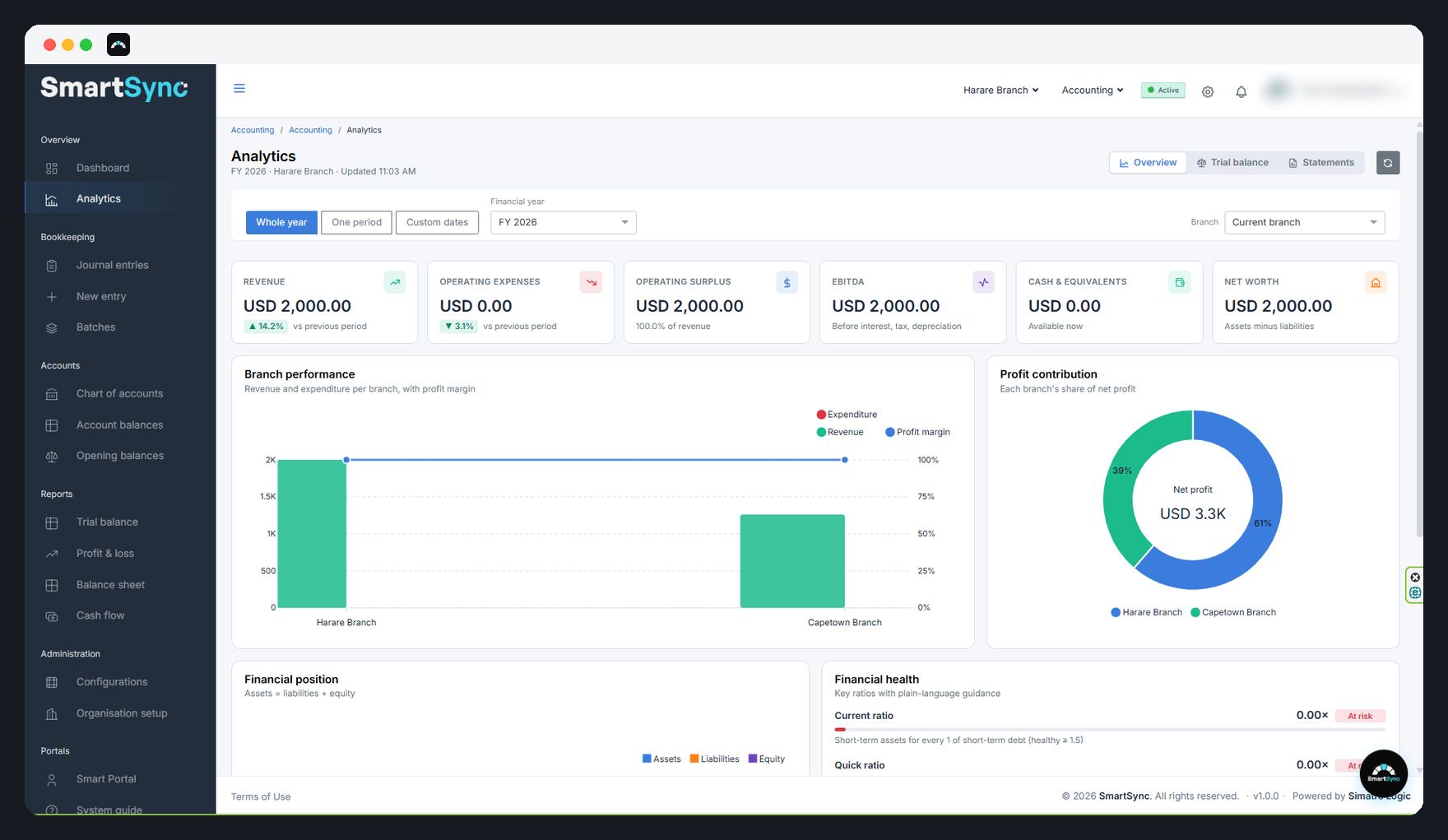
See the whole year at a glance
Revenue, operating expenses, operating surplus, EBITDA, cash and net worth, each compared with the previous period. Filter by whole year, a single period or custom dates, and by branch.
Multi-Branch & Financial Health
Every branch, compared fairly
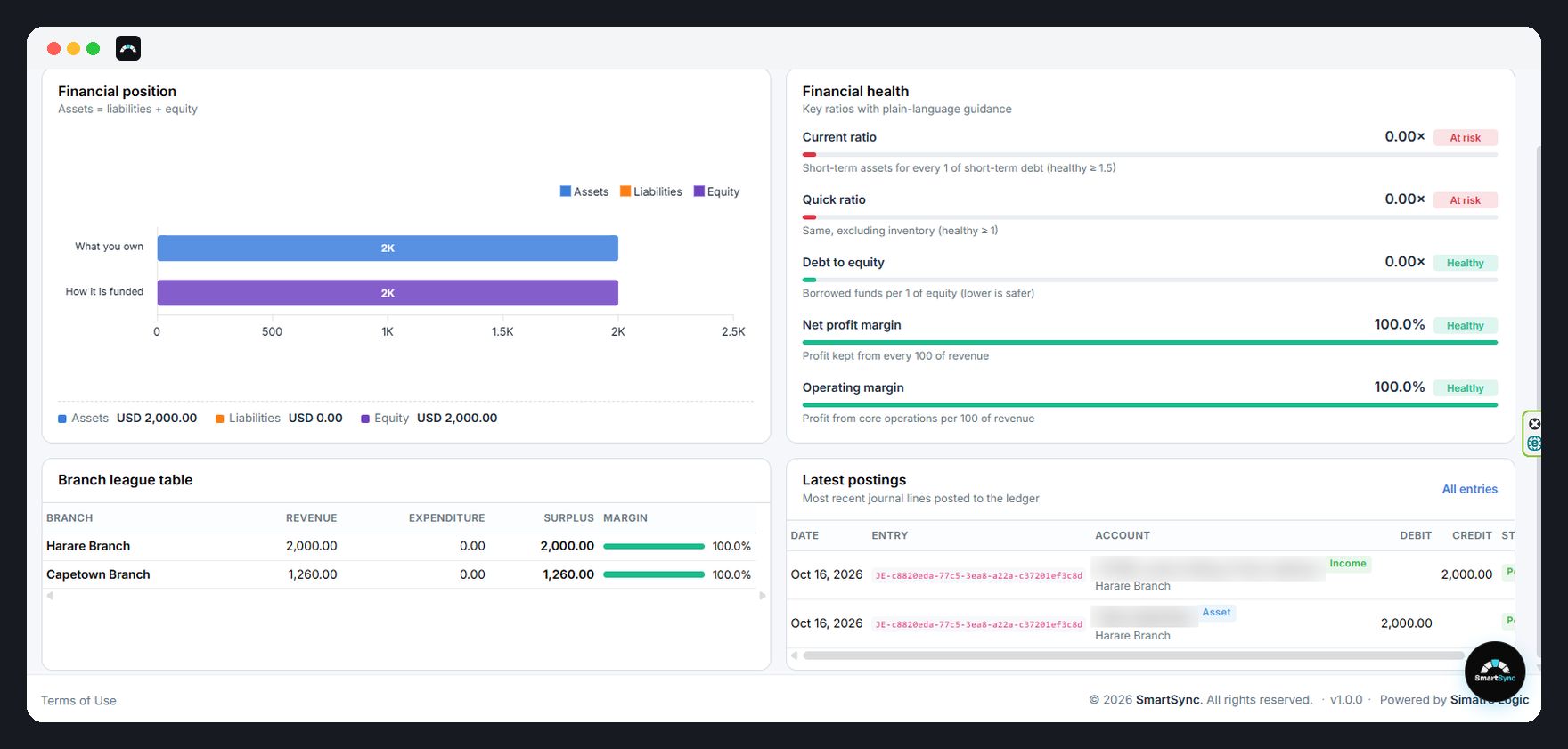
Branch performance charts, each branch's share of net profit, and a league table of revenue, expenditure, surplus and margin. Key ratios, from current ratio to operating margin, come with plain-language guidance and a clear healthy or at-risk flag.
Bookkeeping
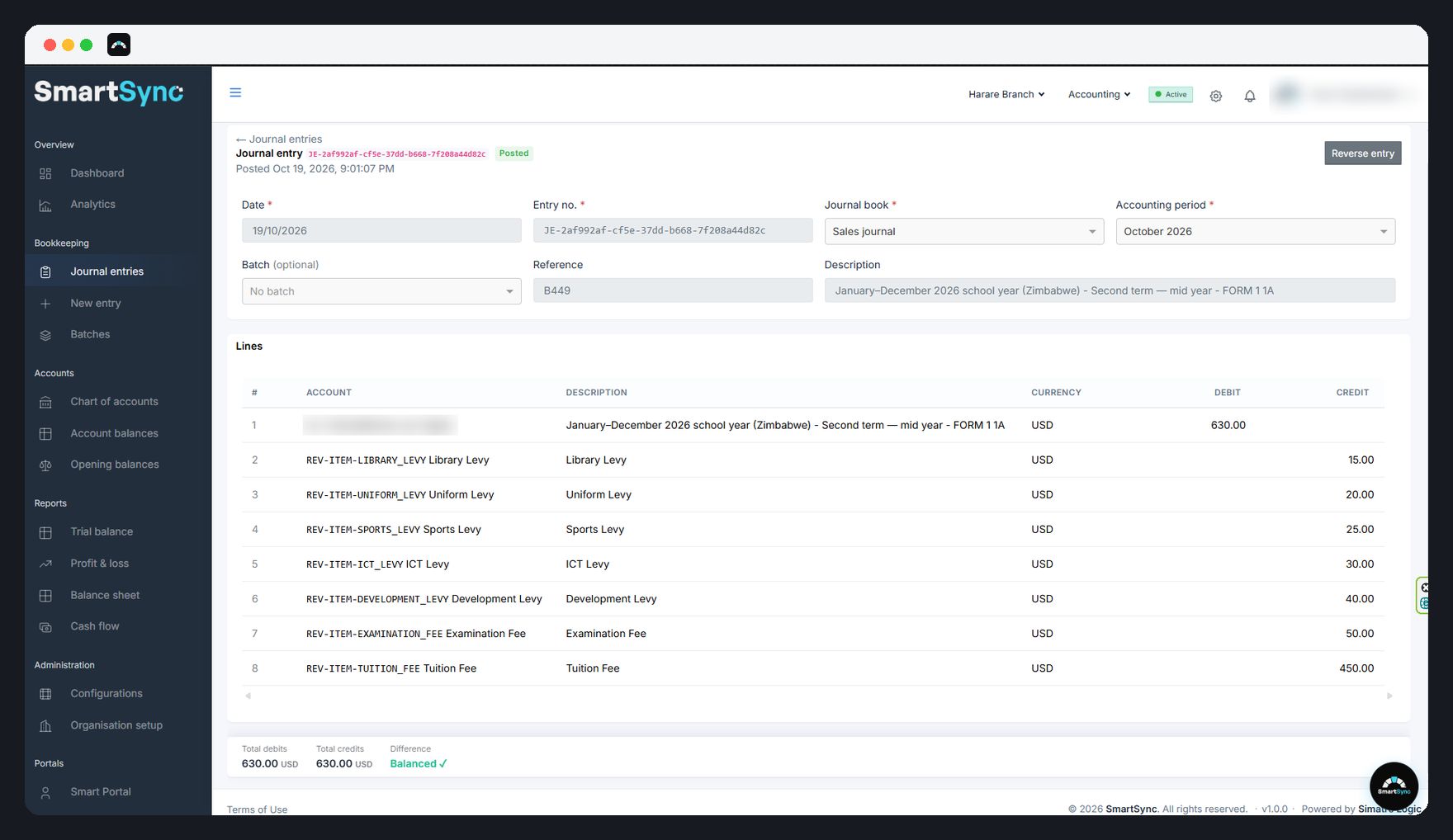
Double entry, always balanced
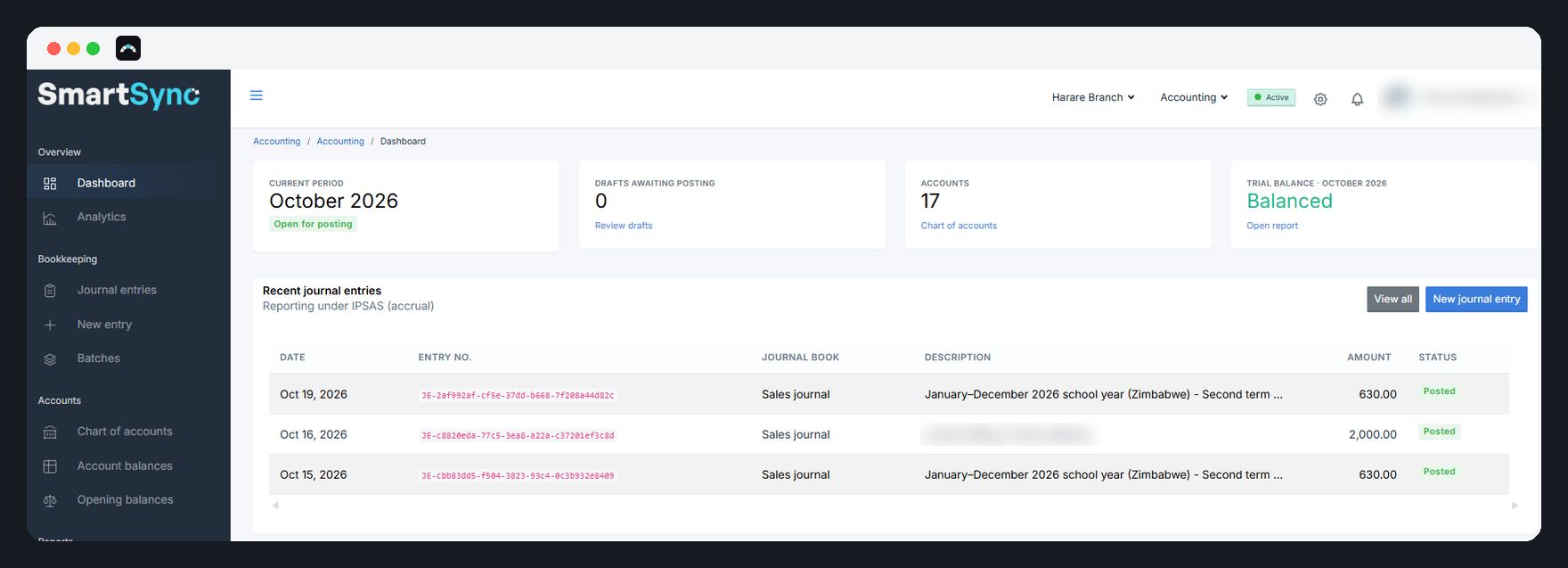
Journal entries by book and accounting period, with optional batches, drafts awaiting posting, and reversals instead of silent edits. School fee billing posts to the sales journal automatically, line by line, from tuition to every levy.
Financial Statements
Statements ready for the board
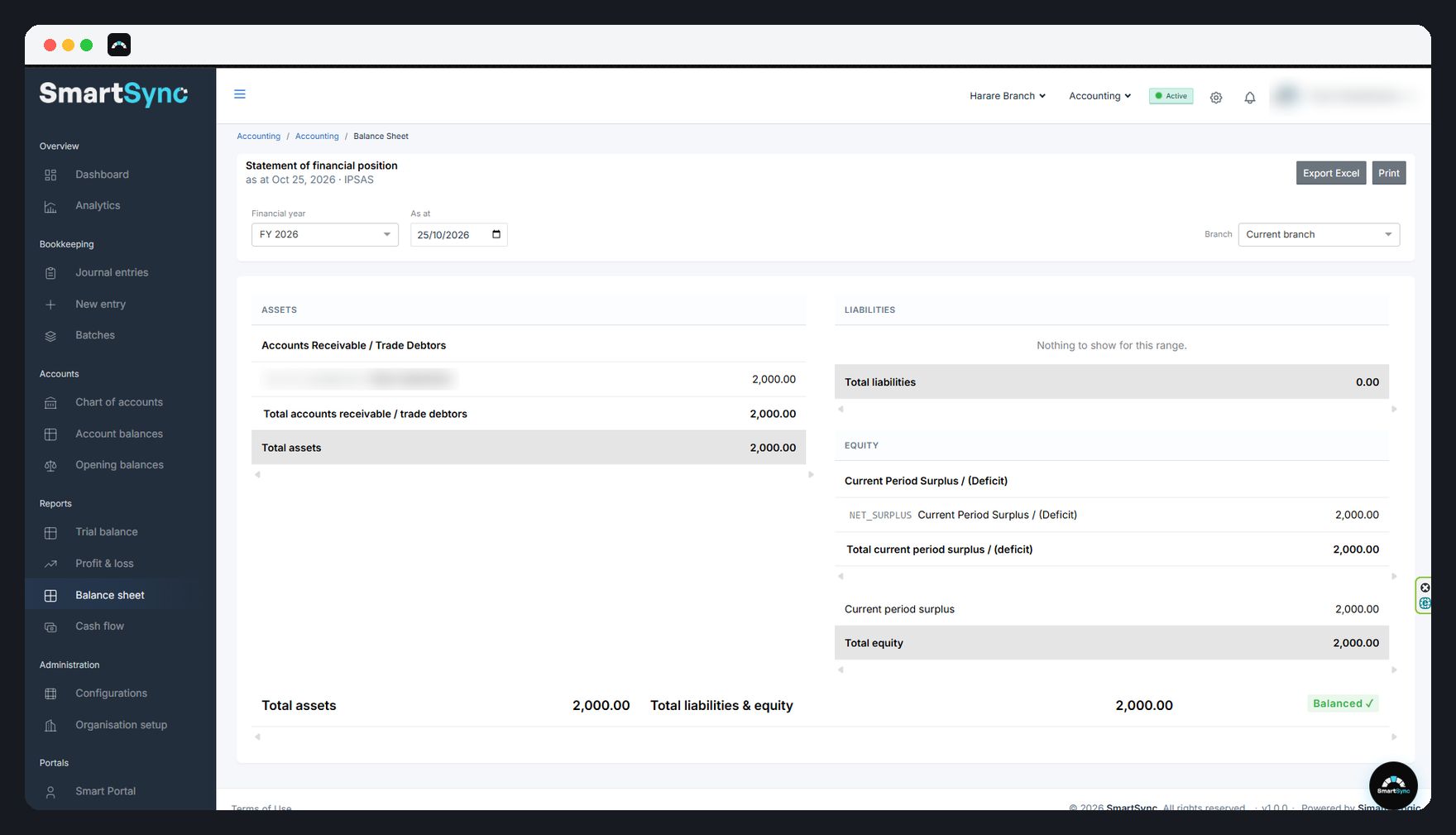
Trial balance, profit and loss, statement of financial position and cash flow, reported under IPSAS on an accrual basis. Pick any date or financial year, then export to Excel or print.
Accounting Capabilities
The full ledger, in one place
From the first journal entry to year-end statements, connected to the rest of SmartSync.
Accounting FAQ